
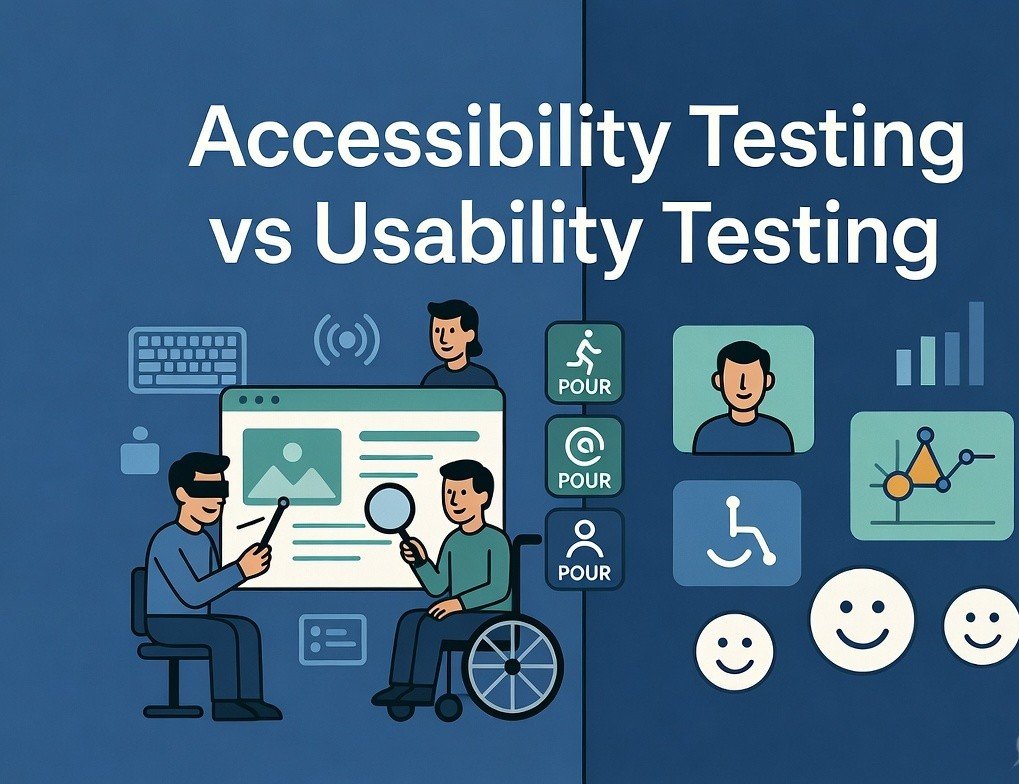
In an increasingly digital world, accessibility testing has become a fundamental aspect of modern web development. As more users depend on assistive technologies and regulations like WCAG 2.2, the European Accessibility Act (EAA), ADA, and Section 508 grow stricter, developers and organizations can no longer treat accessibility as an afterthought. It must be embedded into the entire development lifecycle.
Accessibility testing refers to the systematic process of evaluating websites, web applications, and digital products to ensure they are usable by people with a wide range of disabilities — including visual, auditory, motor, cognitive, and neurological impairments. Effective accessibility testing combines automated tools for rapid issue detection, manual reviews for context and nuance, and real-user testing with assistive technologies.
This in-depth guide explores the leading accessibility testing tools available to developers in 2026. We’ll examine their core features, strengths, limitations, integration possibilities, and practical use cases. Whether you are a freelance developer, part of a small startup team, or working in a large enterprise environment, these insights will help you select the right tools and establish robust processes for creating inclusive digital experiences.
The Growing Importance of Accessibility Testing
The statistics paint a compelling picture. Over one billion people worldwide experience some form of disability, according to the World Health Organization. In many countries, inaccessible websites can lead to costly lawsuits, damaged reputations, and lost business opportunities. Beyond compliance, prioritizing accessibility testing delivers tangible benefits:
- Expanded Audience Reach: Inclusive sites attract and retain more users.
- Improved SEO Performance: Search engines reward well-structured, semantic content.
- Enhanced User Experience: Features like good contrast, clear navigation, and keyboard support benefit all users, including those on mobile devices or in bright sunlight.
- Better Code Quality: Focusing on accessibility often results in cleaner, more maintainable HTML, CSS, and JavaScript.
- Brand Loyalty and Social Responsibility: Companies that champion inclusion build stronger customer trust.
Automated accessibility testing typically identifies 30-60% of common issues, depending on the tool and site complexity. The remaining problems require human judgment, especially around meaningful alt text, logical reading order, and complex interactive components.
Understanding Key Accessibility Standards
Most professional accessibility testing revolves around the Web Content Accessibility Guidelines (WCAG) 2.2. The four core principles — Perceivable, Operable, Understandable, and Robust (POUR) — form the foundation. Level AA compliance is the widely accepted target for most public websites and applications.
Common areas evaluated during accessibility testing include:
- Alternative text for non-text content
- Sufficient color contrast ratios (at least 4.5:1 for normal text)
- Full keyboard navigation and focus management
- Proper use of ARIA roles, states, and properties
- Semantic heading structures and landmark regions
- Form labels, error identification, and recovery suggestions
- Responsive design and resizable text
- Avoidance of automatic media playback without controls
Tools in 2026 increasingly support WCAG 2.2 while helping organizations prepare for evolving requirements.
1. axe DevTools by Deque Systems
axe DevTools remains one of the most respected and developer-centric solutions for accessibility testing. Built on the powerful open-source axe-core engine, it delivers high accuracy with minimal false positives.
Key Features in 2026:
- Intelligent browser extensions for Chrome, Firefox, and Edge with enhanced AI analysis.
- Seamless integration with Jest, Cypress, Playwright, Selenium, and CI/CD pipelines.
- Detailed issue reports including severity levels (critical, serious, moderate), impact explanations, and remediation code examples.
- axe Auditor for comprehensive page and workflow audits.
- Custom rulesets and enterprise monitoring capabilities.
Pros:
- Exceptional accuracy and developer-friendly output.
- Strong automation support for test-driven development.
- Regular updates aligned with the latest WCAG versions.
- Free core version with robust functionality.
Cons:
- Like all automated tools, it cannot catch every contextual or subjective issue.
Best For: Front-end developers, QA engineers, and teams practicing shift-left testing. It excels in continuous integration environments where accessibility testing must happen automatically on every commit.
Getting Started Tip: Install the extension and run a quick scan, or add axe-core via npm for automated tests. Many teams configure it to fail builds on critical issues.
2. WAVE by WebAIM
WAVE continues to be a go-to tool for visual and educational accessibility testing. Its strength lies in overlaying clear indicators directly onto the webpage.
Key Features:
- Free online version, browser extensions, and API access.
- Visual icons highlighting errors, alerts, features, and structural elements.
- Contrast checker and ARIA information panels.
- Educational explanations that help developers understand “why” an issue matters.
Pros:
- Extremely intuitive interface suitable for developers and non-technical stakeholders.
- Excellent for quick spot-checks and teaching accessibility concepts.
- Helps bridge automated results with manual evaluation.
Cons:
- Generates more “alerts” that require human review compared to axe.
- Less suited for large-scale automated testing pipelines.
Best For: Initial audits, design reviews, content teams, and anyone new to accessibility testing. Combining WAVE with axe often provides the most balanced perspective.
3. Google Lighthouse
Lighthouse, integrated directly into Chrome DevTools, offers a convenient all-in-one auditing experience that includes strong accessibility testing powered by axe-core.
Key Features:
- Comprehensive accessibility scoring (0-100) with weighted metrics.
- Combined audits covering performance, SEO, best practices, and progressive web apps.
- HTML reports that are easy to share with clients or management.
- Support for testing local development servers and emulated devices.
Pros:
- Zero setup required for basic use.
- Holistic insights beyond just accessibility.
- Continuously improved by Google.
Cons:
- Accessibility coverage is solid but not as exhaustive as dedicated tools for complex applications.
Best For: Quick checks during development sprints and when balancing multiple quality aspects simultaneously.
4. Microsoft Accessibility Insights
This free, open-source toolkit from Microsoft stands out for its thorough guided assessment capabilities across web and Windows applications.
Key Features:
- FastPass mode for rapid common-issue detection.
- Full guided assessment following WCAG 2.2 AA criteria.
- Keyboard navigation visualization and tab stops analysis.
- Integrated color contrast tools and assisted testing prompts.
Pros:
- Excellent learning resources and clear explanations.
- Strong focus on real-world usability.
- Regular updates and active community.
Cons:
- Full assessments require more time investment.
Best For: Teams seeking deep, standards-aligned accessibility testing and organizations working in Microsoft ecosystems.
5. Additional Powerful Tools in 2026
Tenon.io: API-first platform excellent for scalable, continuous monitoring and CI/CD integration.
BrowserStack Accessibility Testing: Cloud-based solution with real-device testing and AI enhancements.
Pa11y: Lightweight command-line tool ideal for custom automation scripts and dashboards.
Siteimprove Accessibility: Enterprise-grade monitoring with excellent reporting dashboards.
Emerging AI-Powered Solutions: Tools like Evinced, TestMu AI, and enhanced versions of axe use computer vision and machine learning to detect complex issues that traditional rules-based tools might miss, such as dynamic content problems or poor focus management in single-page applications.
Color Contrast Analyzers and Screen Readers (NVDA, VoiceOver, JAWS) remain essential for manual validation.
Expanded Comparison of Accessibility Testing Tools
| Tool | Pricing | Automation Strength | Best Use Case | WCAG Support | Integration Ease | Unique Strength |
|---|---|---|---|---|---|---|
| axe DevTools | Free + Enterprise | Very High | CI/CD & Developer Workflows | Excellent | Outstanding | Accuracy & Remediation Guidance |
| WAVE | Free | Medium | Visual Audits & Education | Strong | High | Intuitive Overlays |
| Google Lighthouse | Free | High | Holistic Quick Audits | Good | Built-in | Multi-Metric Insights |
| Accessibility Insights | Free | High | Detailed Guided Assessments | Excellent | Good | Keyboard & Assisted Testing |
| Tenon.io | Paid | Very High | Enterprise Monitoring | Strong | Excellent | API-First Scalability |
| BrowserStack | Paid | High | Real Device & Cloud Testing | Excellent | Strong | Cross-Device Validation |
Integrating Accessibility Testing into Modern Development Workflows
Successful teams treat accessibility testing as a continuous practice rather than a final checkpoint. Here’s a proven approach:
- Shift-Left Strategy — Incorporate automated scans (axe, Lighthouse) during local development and in pull request workflows.
- Automated Gates in CI/CD — Use axe-cli, Pa11y, or framework-specific integrations (cypress-axe, jest-axe) to prevent regressions.
- Component Library Testing — Test reusable UI components thoroughly since they appear across the application.
- Manual and User Testing — Schedule regular sessions with screen readers and, when possible, users with disabilities.
- Production Monitoring — Deploy tools like Siteimprove or custom dashboards to catch issues introduced by content updates.
- Documentation and Training — Maintain an internal accessibility playbook and conduct regular team workshops.
Many organizations now require accessibility scores above 90 in Lighthouse before merging code, creating measurable accountability.
Common Challenges in Accessibility Testing and How to Solve Them
- Over-Reliance on Automation: Solution — Always follow up with manual and user testing.
- Dynamic JavaScript Content: Solution — Choose tools that properly render and analyze client-side applications.
- Team Resistance: Solution — Start small, demonstrate quick wins, and tie accessibility to business metrics.
- Complex Custom Components: Solution — Follow ARIA Authoring Practices Guide and test extensively with multiple assistive technologies.
- Resource Constraints: Solution — Leverage free tools first and gradually introduce enterprise solutions as needs grow.
The Future of Accessibility Testing
In 2026 and beyond, artificial intelligence is transforming accessibility testing. Tools are becoming better at understanding context, suggesting intelligent fixes, and even simulating diverse user journeys. We can expect tighter integration with design systems, low-code platforms, and automated remediation features. However, human expertise will remain irreplaceable for ensuring truly inclusive experiences.
Conclusion
Mastering the right accessibility testing tools empowers developers to create digital products that are not only compliant but genuinely delightful for every user. Start today by installing axe DevTools and WAVE extensions, running your first Lighthouse audit, and gradually building more sophisticated processes.
Accessibility is not a burden — it is an opportunity to design better experiences, reach wider audiences, and demonstrate values that matter. The tools are readily available. The question is whether your team will embrace them proactively.
Word count: ~2,850
FAQs
Q: Which single tool should a beginner developer start with? A: Begin with WAVE for visual understanding and axe DevTools for deeper insights.
Q: Can automated tools achieve full WCAG compliance? A: No. They are excellent starting points but must be combined with manual testing and user validation.
Q: How often should accessibility testing occur? A: Ideally on every code change for automated checks, with full manual audits before major releases.
Call to Action: Which accessibility testing tool are you going to try first? Share your experiences, favorite combinations, or questions in the comments below. Test your current project right now and take the first step toward a more inclusive web.